Custom fields
Some products might allow personal engravings. For this reason this theme has defined a template you can use to add an input field like that.
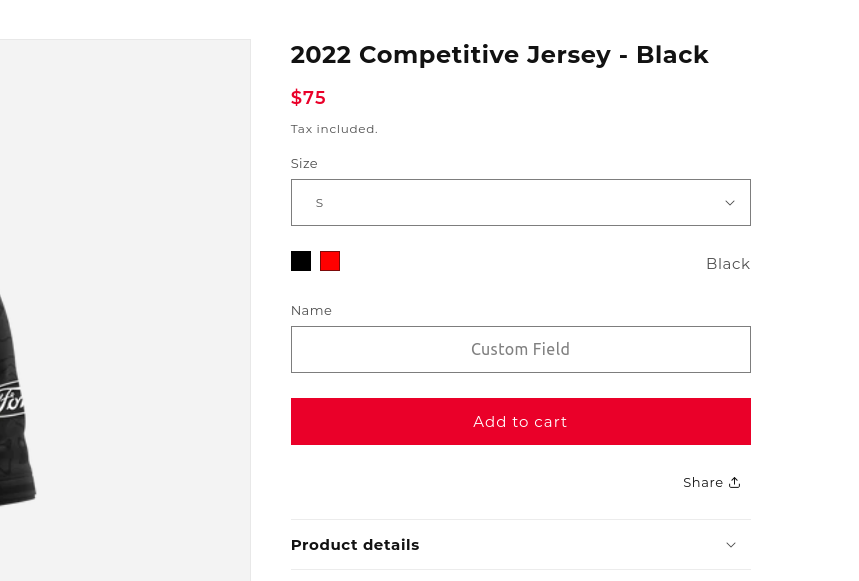
Using the custom name template
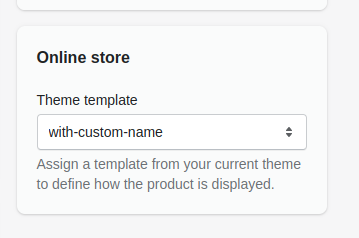
Go to a product and find the "Online Store" secion on the right. Select the "with-custom-name" template and save.
Customizing the custom name template
Keep in mind updating the template will change it for all products. If you want to change the layout for a single product, create a new template!
- Go to Sales Channels -> Online Store -> Themes -> Customize. While the Theme is still in development use this link instead: https://tribegaming.myshopify.com/admin/themes/130208071875/editor
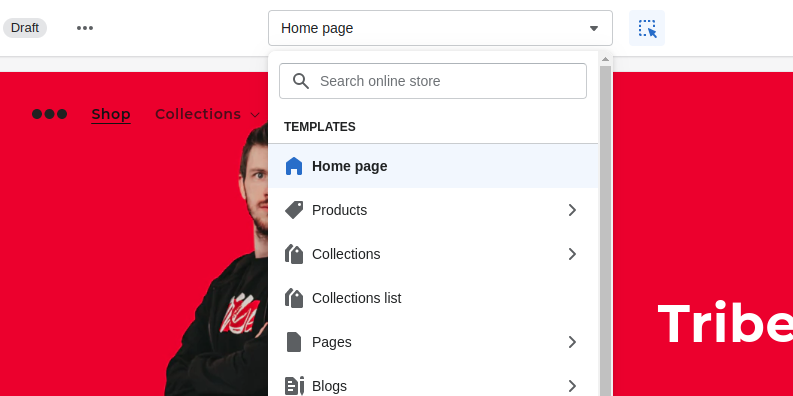
- From the drop-down on the top select "Products" and select "with-custom-name"
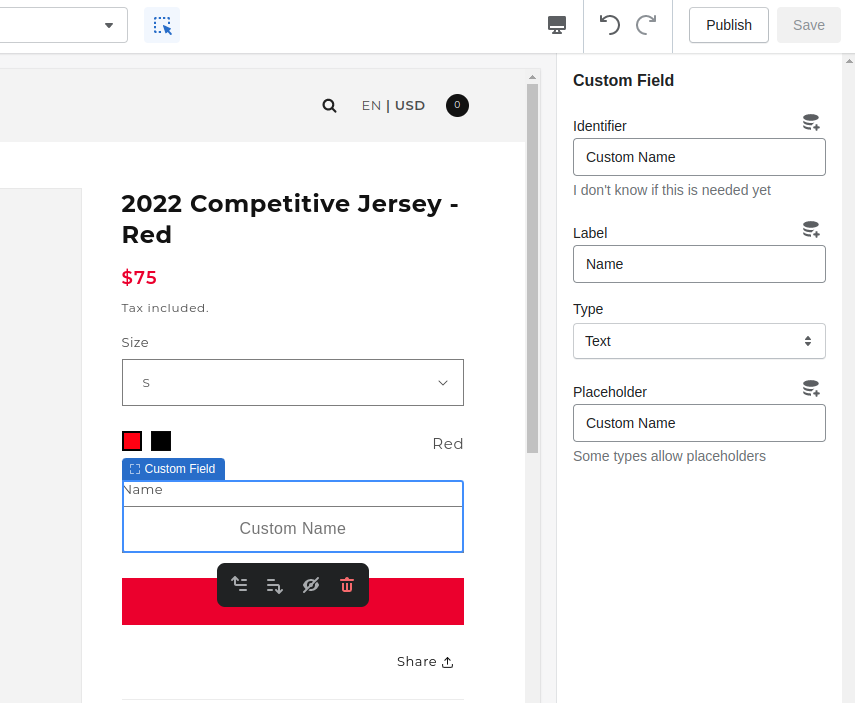
- Customize the theme. There is a "Custom Field" Element on the template you can customize as well! Here you can change the Placeholder text for example.
- Save and you are done!
Create a new template
Read the "Customizing the custom name template" section first to get an idea!
- From the drop-down select "Products" and "Create new Template"
- Customize the template.
- Save it and assign it to a product.
IMPORTANT: When you update the default product template your changes wont be synced with the custom templates you created on top!